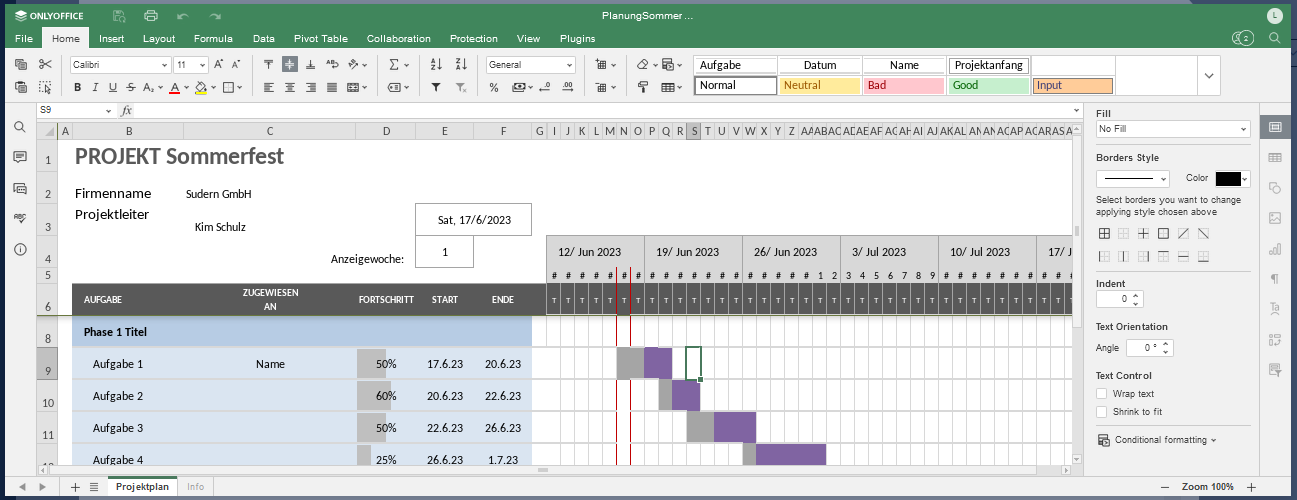
You have the option of working with Excel files directly in the Aktenplatz app in various ways.
1. Open an Excel file in Aktenplatz:
Select the desired Excel file in the attachments of a project file and open it.
A preview of the file appears in which you can already work.
2. Edit the Excel file:
You can edit files in Aktenplatz as usual. Your changes are saved continuously so that no progress is lost.
3. Collaborate with your colleagues in real time:
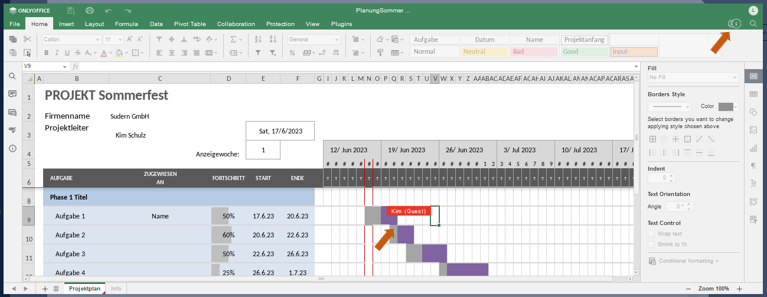
If you and your colleague have opened a file at the same time, you can both make changes and work together.
The circles in the top right corner and the colour-coded fields tell you who is currently working where in the sheet.
The bar on the left-hand side also gives you the opportunity to
 ) and
) and ).
).Further functions can be found under the tab Collaboration in the upper bar.
4. Save, download and print a file:
Under the File tab you have the option of downloading the file to your device in various formats, for example as a pdf or csv.
To do this, click on Download as on the left and then on the desired format.
The file is downloaded to your device.
If you want to print the file, select Print and a corresponding dialogue window opens.