In the project settings, the Events section is where you define how your project’s calendar and appointments behave – from the time zone and holidays to SMS appointment reminders.

1. Open the settings

Open the project settings (gear icon in the left rail) and, in the left pane under General, click Events.

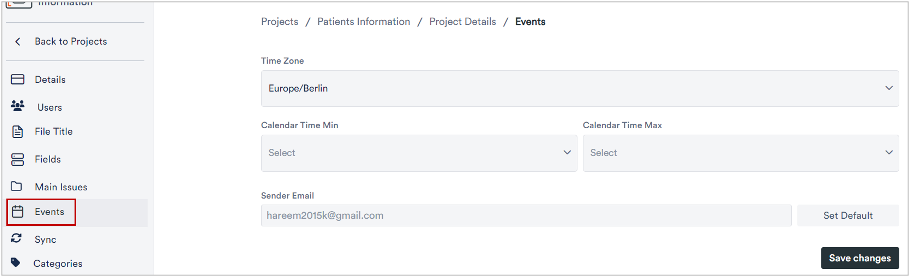
The project settings with the “Events” menu item highlighted

2. Set the time zone and displayed time range

The Time Zone field and Calendar Time Min and Max
  • Time Zone: the project’s time zone (e.g. Europe/Berlin).
  • Calendar Time Min / Max: the time range shown in the day and week views (e.g. from 07:00 to 19:00).

3. Holidays and further options

Holidays location, SMS reminders and vacation/sickness display
  • Holidays Location: choose country, state and region so the matching public holidays appear in the calendar.
  • Enable SMS Reminders: sends appointment reminders by SMS (including template and sender).
  • Show Holidays in Event Calendar and Show Sickness Absences in Calendar: display absences; adjust the respective colour via “Change Color”.
  • Undo Event Changes: reverts appointment changes you have made.

4. Save

Click Save changes to apply your settings.