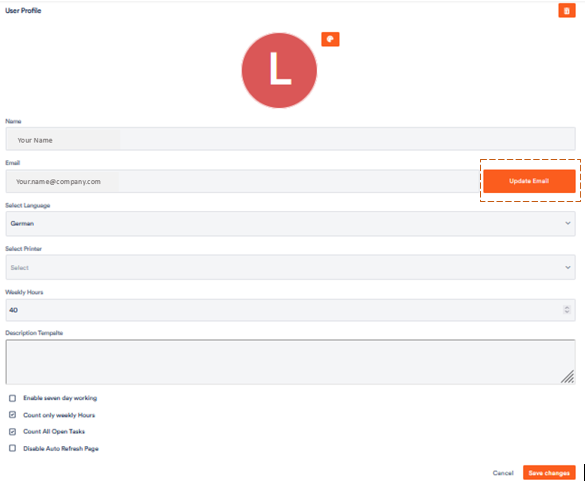
You can change the e-mail address you use to sign in to Aktenplatz at any time in your user profile – for example when your business address has changed.

1. Open your user profile

Click your account name at the bottom of the left bar to open your user profile. The User Profile tab is already selected. Scroll to the Email field and click Update Email to its right.

The “Email” field with the “Update Email” button in the user profile

2. Enter the new address

A dialog opens. Your current address is shown under Current Email. Enter your new address in the New Email field and confirm with Update.

The “Update Email” dialog with the field for the new address

3. Confirm the change

A confirmation e-mail is sent to your new address. Once you have confirmed it, you sign in with the new address from then on. Check your spam folder if needed.