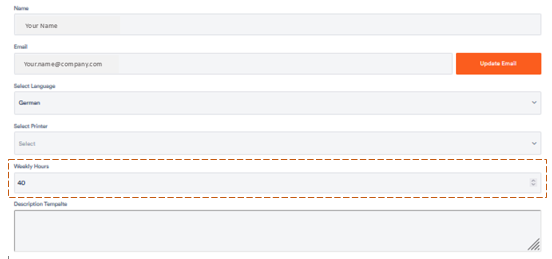
Aktenplatz offers you the possibility to record your working hours. In your user profile, you can mark your contractually planned hours.
To do so, enter the corresponding number under Weekly Hours by either clicking up and down at the end of the field or simply typing it in after clicking on the field.
If you now click on My Work in the dark grey bar in the left, the overview of your respective weekly overview appears.
At the top right, the blue bar shows you how much of the planned time you have already worked:
If you are working overtime, the bar appears in red and shows you your overtime: