With Aktenplatz, you can sort files into files, meaning you can define superordinate and main files.
When you open the main file, you can display the sub-files that are assigned to it and access its attachments and appointments.
You can also make this assignment across projects, i.e. assign a file from project 1 to a file from project 2. Both files remain in the respective source project, so nothing gets mixed up, but you can view the files via the assigned file and the calendars of the subordinate files now also appear in the project calendar of the main file.
Super nifty: you can assign files to several others as main or subordinate files. In contrast to its analogue counterpart, the digital file can thus be accessed from many different points and you have more freedom in linking your files.
Here’s how it works:
1. To add subordinate files:
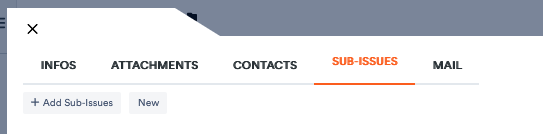
Open a file to which you want to assign others and click on the Sub-Issues tab.
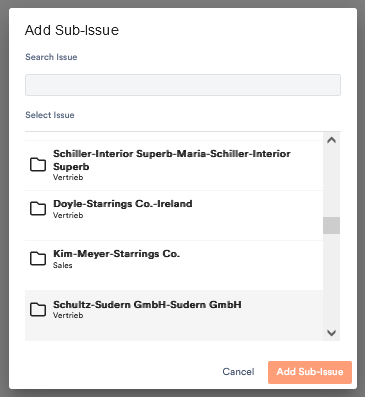
Click on Add Sub-Issue. An window with all your files opens. Choose one at a time to add it as a sub-file. Click Add Sub-Issue.
The file now appears in the overview. Its appointments are synchronised with the project calendar and you can open it through the main file.
If you want to create a new subordinate file, click on New. An empty file appears in the list. Click on it to open it and specify its parameters.
If you want to unassign a file, click on the 
2. To add main issues:
If you want to subordinate one file to another, you can also do this as follows:
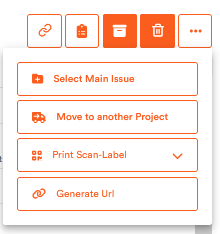
Open the file you want to assign and click on the three dots on the right for further functions.
Click on Select Main Issue.
The window with the files from which you can choose also appears here. From here on it proceeds as described above.