The procedure for removing a contact is as follows:
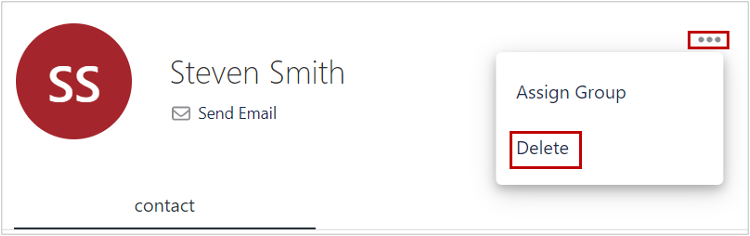
1. In Contacts section, click for the desired contact.
A dropdown displays.
2. From the dropdown, click Delete.
The selected contact is move to Trash.
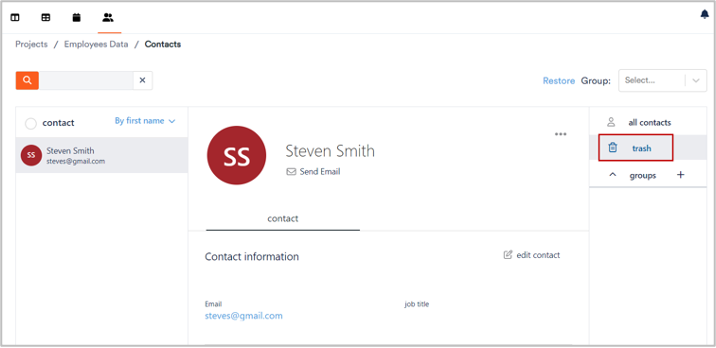
3. To view trashed contacts, click Trash from the pane at the right side.
The Trash section displays.