If you have a management account, your team’s holiday requests will end up with you. Find out how to edit them here.
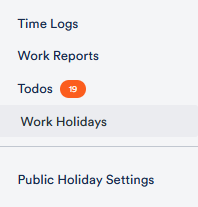
Once approved, you can view your team’s holiday planning by clicking on Work Holidays in the time tracking menu.
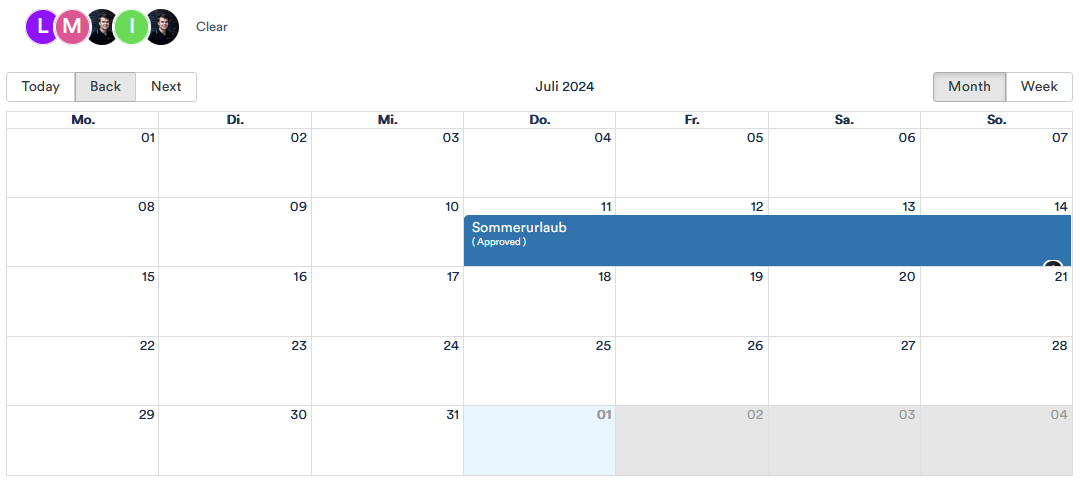
A monthly overview will appear in which you can view all holidays at the same time or by team member.
You can click on next and back to scroll through the months and click on the icons of your team members to view their holidays individually.
In addition to vacation/holidays, there are of course also public holidays. As these vary from (federal) state to (federal) state, you can adjust them depending on where your employees live.
To do this, click on Public Hoiday Settings in the menu.
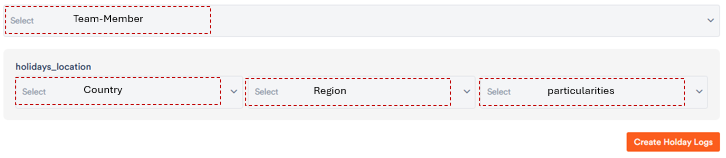
In the following drop-down menu, you can now first select the relevant team members and select the country and federal state in which they live.
The public holidays entered for the region will now appear in the holiday overview.