You have the option to hide certain information related to files if it is not required at a particular time.
To do so:
1. Click a project.
2. Click 
The files of the selected project display in a list view.
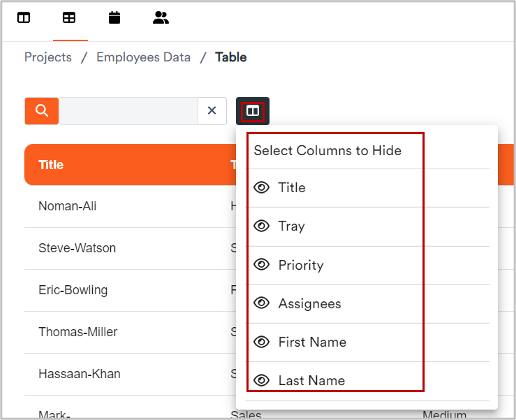
3. Click 
A dropdown displays where you can view the names of all existing columns.
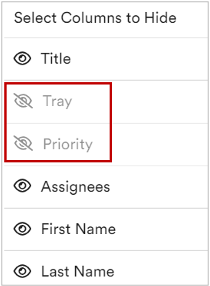
4. From the dropdown, click the number of columns to be hidden.
The selected columns hide and